THE HUB
The hub is the front door of the DVT app suite — one page with every app on it as a card, your account and license at a glance, and the door into DVT Settings. It's the first thing you see when you run dvt serve, and the place you come back to whenever you want another app.
OPENING IT
From your project root, one command starts the whole suite and the hub with it:
$ cd my_project
$ dvt serve
# → http://localhost:46100/     the hub
#   every app is a path on that same origin:
#   /chat  /explorer  /catalog  /portal  /profiling
#   /scheduler  /dashboards  /executions
The port is your project's suite_port — a key in dvt_project.yml, 46100by default. It's pinned, not dynamic: if something already holds the port, that's a hard error naming what's there, never a quiet move to a different port. Running two projects on one machine? Give each its own pin and each gets its own hub.
THE CARDS
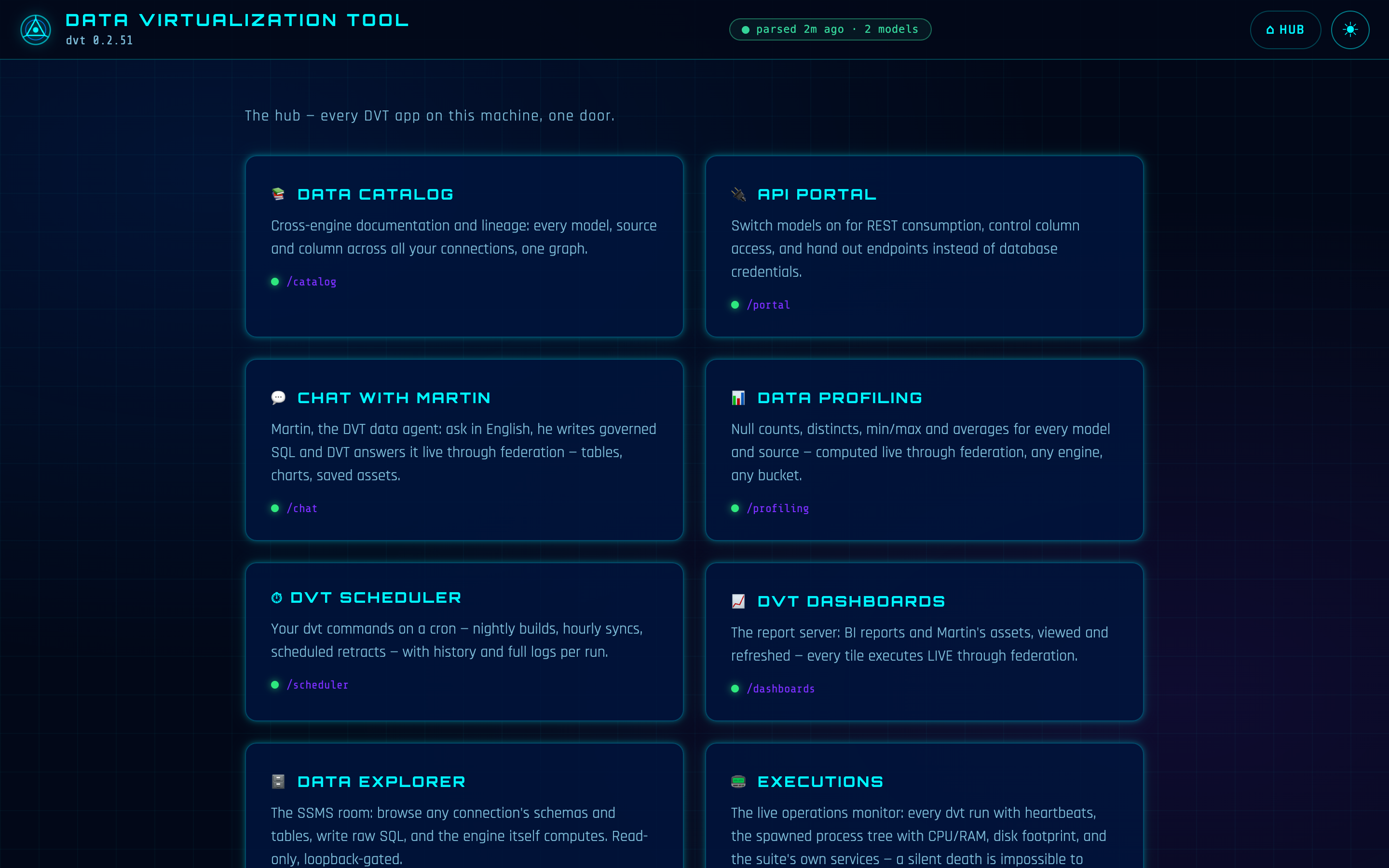
Each app is a card: its name, one plain sentence about what it does, its path on the suite origin, and a status dot that lights up when the app is up. Click a card and you're in the app; every app's top bar carries a HUB button to bring you back. The grid is deliberately flat — one glance shows the whole suite, no drilling. Here is who does what:
| APP | WHAT IT DOES |
|---|---|
| CHAT WITH MARTIN | Ask in plain language; governed SQL written and executed live through federation. |
| DATA EXPLORER | Browse any connection, run read-only SQL, make grid edits behind an explicit APPLY. |
| DATA PROFILING | Column-level statistics for any table on any connection. |
| DATA CATALOG | The cross-engine catalog dvt docs generate builds. |
| DVT DASHBOARDS | Boards composed from saved assets — folders, drag-and-drop, cached by default. |
| API PORTAL | Models switched on as governed REST endpoints, handed out instead of database credentials. |
| SCHEDULER | Your dvt commands on a cron, with run history. |
| EXECUTIONS | The live operations monitor. |
Above the cards sits a small status strip: your DVT version, the signed-in account (email and tier), and the machine's license claims — plan, expiry, whether the key is machine-bound. All of it is read from cached credentials and the local license file. The hub makes no network call to render, so this page opens instantly, connected or not — on an air-gapped server it looks exactly the same.
THE SETTINGS ENTRY
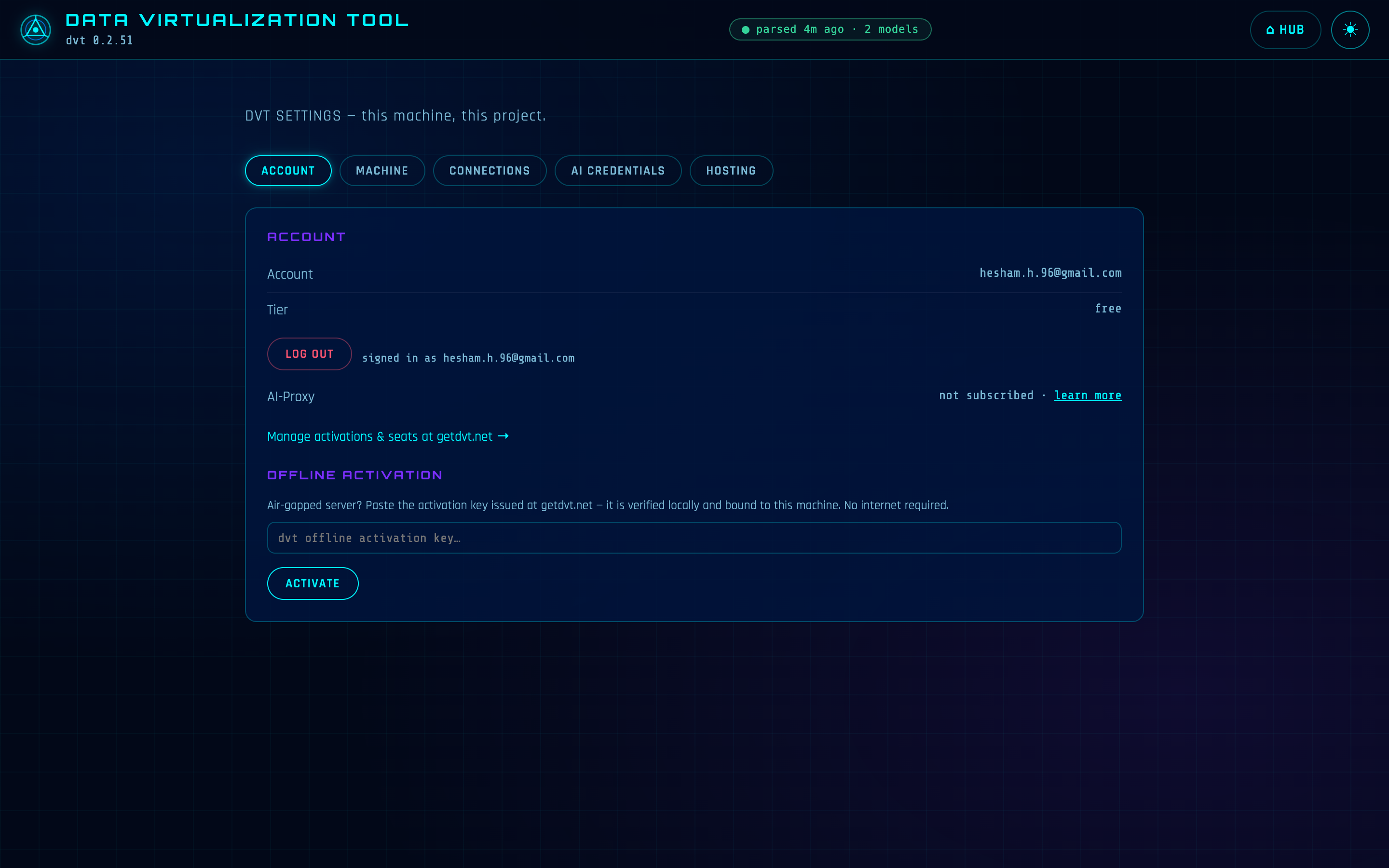
Below the app cards is one more card: ⚙ DVT SETTINGS. It opens the hub's settings view — deep-linkable at #/settings — which is the control plane for this machine and this project, in five tabs:
| TAB | WHAT YOU DO THERE |
|---|---|
| ACCOUNT | Your email, tier and subscription status from cached credentials — plus offline activation: paste a machine-bound key on an air-gapped server and it verifies locally, no internet involved. |
| MACHINE | OS, processor, architecture, cores, RAM — shown because sizing matters: federation compute runs here, on this machine, in DuckDB. |
| CONNECTIONS | The no-YAML manager for profiles.yml: add a connection from a per-engine form, test them all, set the default target, sync sources. |
| AI CREDENTIALS | One AI-Proxy base URL and key — stored in ~/.dvt with owner-only permissions, displayed masked, treated write-only. |
| HOSTING | The full map of every app's path and auth posture — the page your network admin actually wants. |
One security fact worth knowing even if you never expose the suite: every settings write — credentials, keys, activation — answers only on 127.0.0.1. Hosting the suite on your network with --host never exposes credential writes; those always require being at the machine.
ONE THEME, ONE OFF SWITCH
The circle button in the top bar toggles light and dark. The choice lives in a dvt-theme cookie — and because every app is a path on the one suite origin, one toggle follows you across all of them. No app has its own theme setting; the suite has one.
Turning it all off is just as short:
$ dvt kill # the whole suite, one command
One nuance, stated honestly: a scheduled job that's already running is its own process and finishes its work — dvt kill stops the suite and the scheduler with it, but only dvt kill --forceterminates work that's mid-flight.
HOW IT RELATES TO THE CLI
dvt serve starts the hub; dvt kill stops it. Everything the hub shows comes from state the CLI already keeps: the account strip reads the credentials cached when you sign in from the CLI, the license claims come from the local activation, and the CONNECTIONS tab reads and writes the same profiles.yml your runs use. The hub is a window onto the machine — not a second copy of anything.
IN PLAIN DBT
There is one served surface — dbt docs serve, a static docs site. DVT serves a suite: the docs are one app among eight, and the hub is the door to all of them, with the machine's account, license and connections in the same place.
REFERENCE
| URL | http://localhost:<suite_port>/ — the suite's one origin; every app is a path on it. |
| Port | suite_port in dvt_project.yml, default 46100 (46100–46149 is DVT's range). Pinned — an occupied port is a hard error, never a silent move. |
| Starts with | dvt serve, from the project root. |
| Stops with | dvt kill (add --force to also terminate mid-flight scheduled work). |
| Prerequisites | A DVT project (dvt_project.yml at the root). Signing in and activation are optional — the hub renders either way. |
| Theme | The dvt-theme cookie — one toggle, every app. |